
AI Image Humanizer — Make AI Photos Look Real

Make AI-generated images look more natural and realistic. Humanize your AI photos by refining artificial-looking textures, lighting, colors, and details in just a few clicks.

First image freeNatural skin & textureRefine light & colorCustomize with your prompt

Choose a model and settings, then generate an image.

Eligible GPT Image 2 generations cost 5 credits. Other generations use the credit price shown before submission.

Examples

See the Difference: Six Ways to Soften the AI Look

Six visual examples of the details that can make AI images feel more natural. These paired images were generated as illustrations for this page; they are not actual GatsbyAI tool results.

Illustrative comparison of a glossy AI-style headshot and a more natural-looking portraitBeforeAI Result

Example 01 / 06

Make a studio headshot feel camera-ready

A glowing outline and polished skin can make a professional portrait feel rendered. Softer light, visible skin texture, and a quieter background give the same composition a more everyday photographic feel.

HeadshotSkin textureLighting
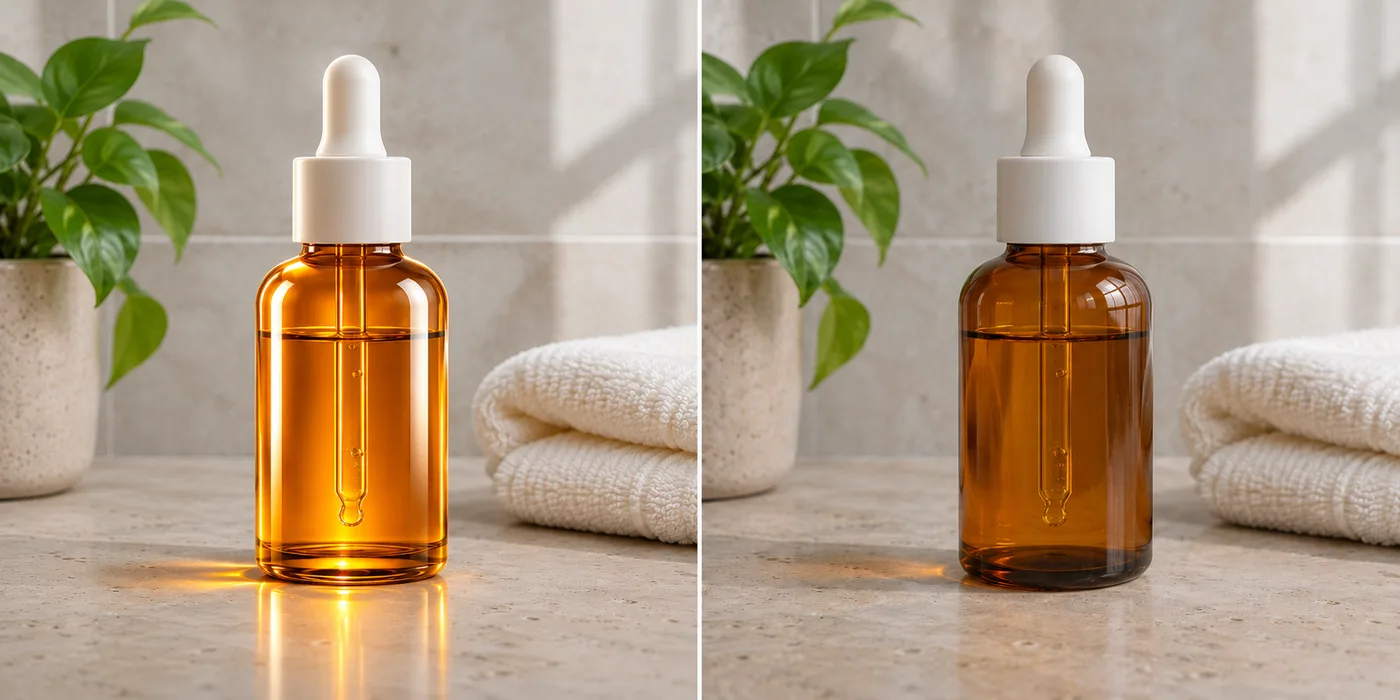
Illustrative comparison of an overly glossy serum bottle image and a softly lit product photoBeforeAI Result

Example 02 / 06

Give product photography believable materials

Perfect reflections can make glass and stone look synthetic. The natural-looking version keeps the bottle and styling in place while dialing back the glow and bringing out the counter’s texture.

Product imageGlassReflections
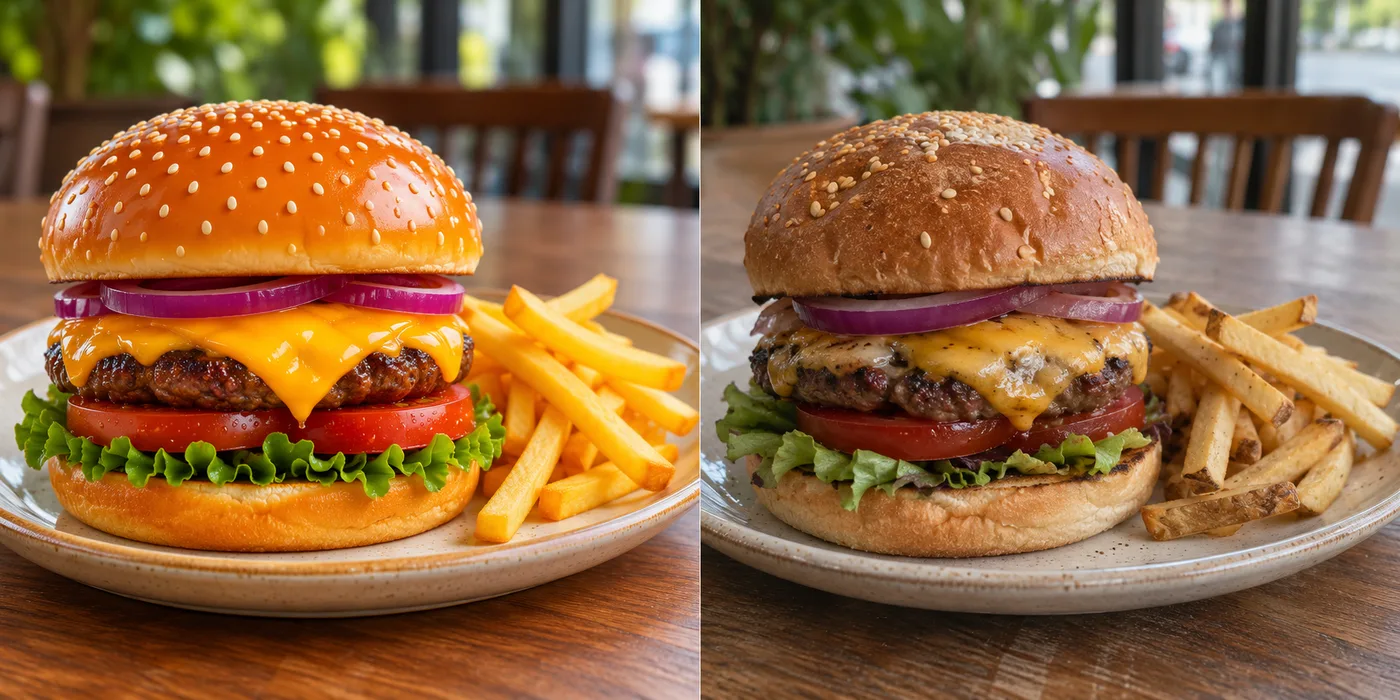
Illustrative comparison of a glossy rendered burger and a more natural food photographBeforeAI Result

Example 03 / 06

Make food images look less rendered

A shiny bun, glowing cheese, and perfectly placed toppings can look more like a render than lunch. Uneven textures and ordinary restaurant light make the burger feel closer to a menu photograph.

Food photoSurface detailColor
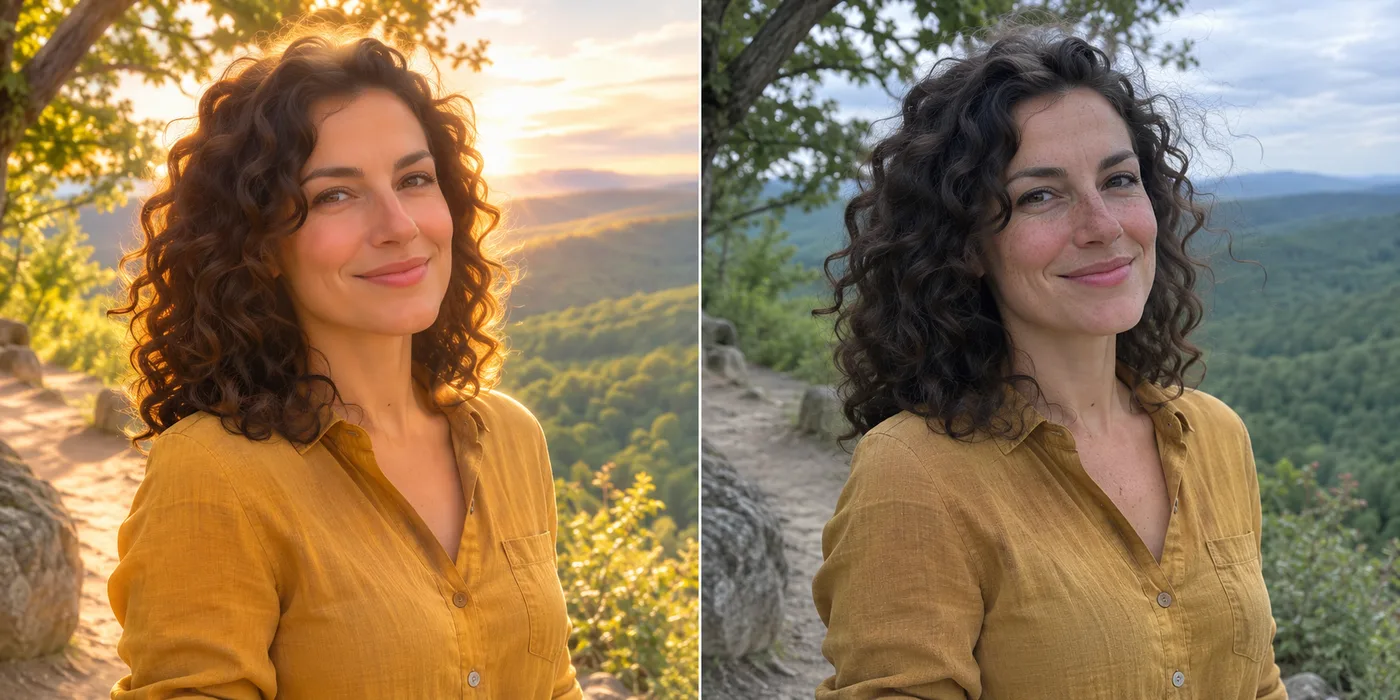
Illustrative comparison of a glowing outdoor portrait and a more natural daylight portraitBeforeAI Result

Example 04 / 06

Bring natural light back to lifestyle photos

Golden light from every direction and flawless skin can overwhelm a simple outdoor portrait. Subdued daylight, natural freckles, and a less saturated landscape make the scene feel more like a camera capture.

LifestyleDaylightFreckles
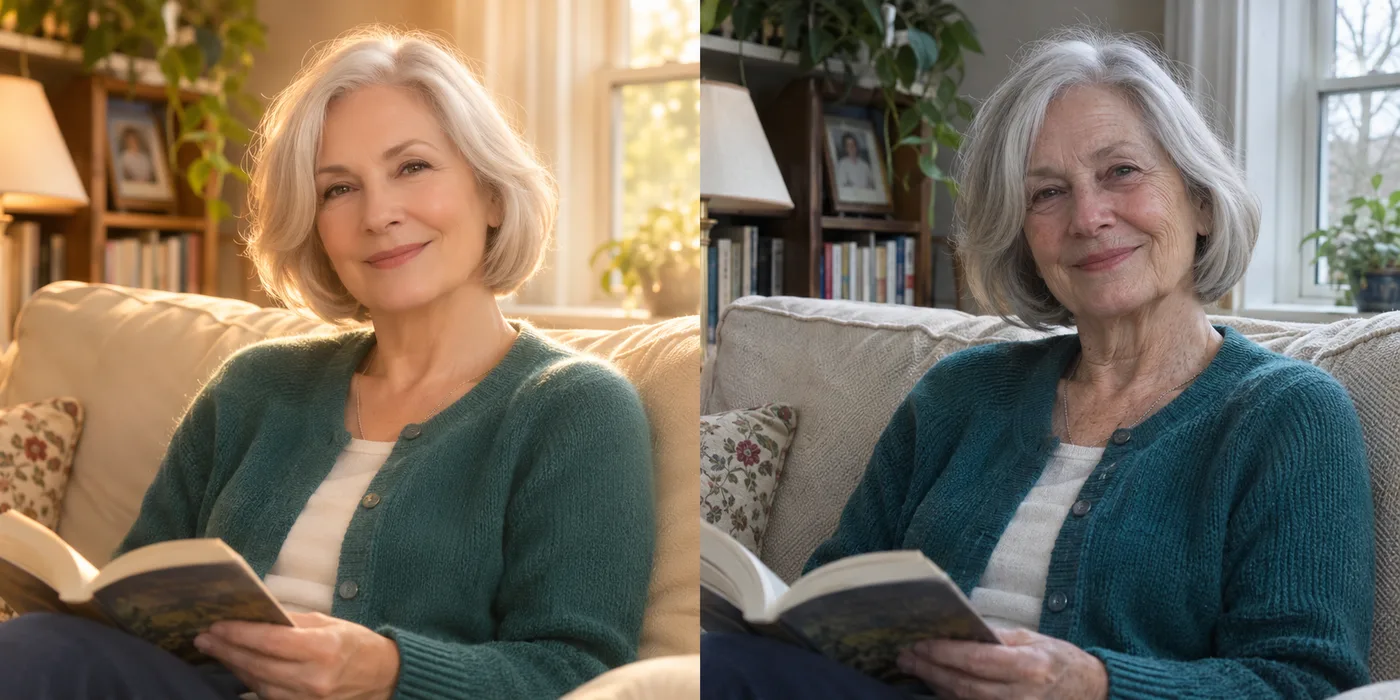
Illustrative comparison of a smoothed living-room portrait and a more textured natural portraitBeforeAI Result

Example 05 / 06

Keep the character in a personal portrait

A warm haze and overly smooth skin can erase the details that make a portrait feel personal. Fine lines, fabric texture, and ordinary window light add a more believable finish to this living-room scene.

PortraitFine detailWindow light
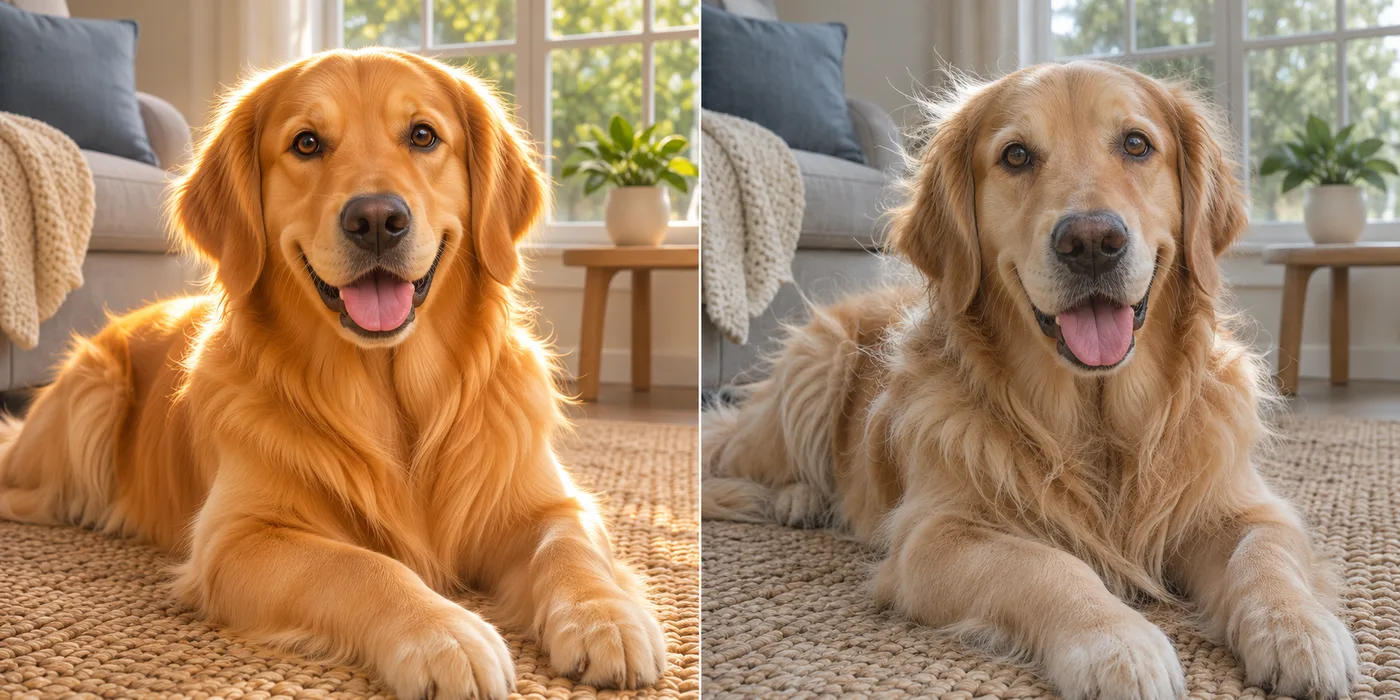
Illustrative comparison of a glowing golden retriever image and a more natural-looking pet photoBeforeAI Result

Example 06 / 06

Make pet fur look soft instead of painted

Glossy, uniform fur and bright rim light can give an AI pet photo a painted quality. Looser strands, gentler daylight, and a less perfect coat make this retriever look more at home in the room.

Pet photoFur textureDaylight

The visual cues

Why Do AI-Generated Photos Look Fake?

Even a striking AI photo can contain subtle cues that make it feel artificial. These are common details to inspect before and after an edit.

Plastic or waxy skin

AI portraits can have overly smooth skin, missing pores, and unnatural facial texture.

Unnatural lighting and shadows

Inconsistent light, overly perfect highlights, or shadows from different directions can make a scene feel artificial.

Overly perfect details

Repeated textures, flawless symmetry, and improbable object details can weaken realism.

Artificial colors

Heavy saturation and overly clean color grading can make an image feel computer-generated.

Unnatural backgrounds

Small inconsistencies in objects and scene texture can become noticeable behind the subject.

No natural camera texture

Real photos often include subtle texture, imperfect focus, and familiar camera characteristics.

Use cases

Who Can Benefit from an AI Photo Humanizer?

A natural-looking edit can be useful in many creative workflows. Review the result against your original before publishing it.

AI content creators

Refine AI visuals before publishing them.

Social media creators

Give generated posts a more natural visual finish.

E-commerce sellers

Review AI-generated product concepts with more believable materials.

Digital marketers

Polish generated creative concepts for campaigns.

Designers and freelancers

Improve an existing AI image without starting a new concept.

Everyday users

Experiment with portraits, lifestyle scenes, and personal projects.

Find the right edit

AI Image Humanizer vs. AI Image Enhancer

Choose a tool based on what needs to change in your image.

CompareImage humanizerImage enhancer
Primary purposeReduce an artificial-looking appearanceImprove image quality
Main focusNatural textures, lighting, and colorsClarity, sharpness, and resolution
Typical improvementsRefined visual realismCleaner or larger output
Ideal use caseAn AI image that looks too generatedAn image that looks soft or low resolution
Pricing

Choose the Right GatsbyAI Plan

Compare monthly plans and credit packs for more image edits and other GatsbyAI creations. Your estimated credit cost appears before generation.

Lite

Perfect for beginners exploring AI video

$9.99/month

Billed annually · $239.76 $119.88/year

2,000 credits per month

  • 20 AI prompt optimizations per day
  • Up to 200 basic videos
  • Up to 400 images
  • Standard generation speed
  • Priority queue
  • No watermarks
  • Batch processing with AI tools
  • Text/Image to video
  • No-watermark outputs
  • Commercial use license
  • Full privacy
Recommended

Pro

Ideal for high-frequency creation

$19.99/month

Billed annually · $479.76 $239.88/year

5,000 credits per month

  • 40 AI prompt optimizations per day
  • Up to 500 basic videos
  • Up to 1,000 images
  • Faster generation speed
  • Priority queue
  • No watermarks
  • Batch processing with AI tools
  • Text/Image to video
  • No-watermark outputs
  • Commercial use license
  • Full privacy

Ultra

Designed for heavy production workflows

$38.99/month

Billed annually · $935.76 $467.88/year

10,000 credits per month

  • 60 AI prompt optimizations per day
  • Up to 1,000 basic videos
  • Up to 2,000 images
  • Faster generation speed
  • Priority queue
  • No watermarks
  • Batch processing with AI tools
  • Text/Image to video
  • No-watermark outputs
  • Commercial use license
  • Full privacy
FAQ

Frequently Asked Questions — AI Image Humanizer

Have another question? Contact us at support@gatsbyai.app

1

What is an AI image humanizer?

An AI image humanizer edits an existing AI-generated picture to make its textures, lighting, colors, and details look more natural. An AI photo humanizer can soften waxy skin, flat light, and overly uniform surfaces while working from the image you uploaded. Unlike a standard enhancer, it focuses on reducing the artificial look rather than just sharpening or upscaling. Review the output because details may change.

2

How do I use GatsbyAI’s AI Image Humanizer?

Sign in and upload a JPEG, PNG, or WebP AI image up to 8 MB. Review or customize the prefilled instruction, choose your model and settings, and check the estimated credit cost before generating. Preview the edited result and download it if you like the changes. Results vary by image, so compare it with your original.

3

How to make AI photos look real?

To make AI images look realistic, upload an AI-generated photo, describe the artificial-looking details, and run an image edit. Ask for realistic skin texture, natural lighting, or less saturated colors. This can help make AI-generated photos look real to a viewer, but it cannot guarantee an authentic camera photo. Compare the output with the original and adjust the instruction if needed.

4

Can I humanize AI-generated images online?

Yes. Sign in to GatsbyAI to humanize AI images online. Upload a supported image, select a model and settings, review the estimated credits, then generate an edited version. This workflow can also help humanize AI photos; results depend on the source image and model.

5

Is there a free AI image humanizer?

GatsbyAI gives signed-in users daily credits, which they can use toward an image humanizer edit. Whether those credits cover an edit depends on the selected model and settings. The estimated cost appears before generation, and an uploaded image is required.

6

What is the difference between an AI image humanizer and an image enhancer?

An image humanizer focuses on artificial-looking cues such as plastic skin, flat lighting, uniform texture, and overly clean color. An enhancer generally aims to improve sharpness, brightness, clarity, or resolution. You can use both for different needs, but neither guarantees that every detail stays unchanged.

7

Can an AI image humanizer make skin look more natural?

For a more realistic AI portrait, you can ask the model to reduce plastic skin and other AI-generated image artifacts while adding more realistic skin texture and natural lighting. Results vary with the source image and model, and a face may change in other ways. Compare facial details with the original before publishing.

8

Does humanizing an AI image change the original image?

Yes. The tool generates a new edited image. The prompt asks it to keep the main subject and composition, but visual details, identity, and framing are not guaranteed to remain identical.

9

What image formats are supported?

Upload JPEG, PNG, or WebP images. Each image must be 8 MB or smaller.

10

Can I use an AI image humanizer for product photos?

You can use it to experiment with AI-generated product visuals and marketing concepts. Check product details and accuracy before publishing.

11

Can an AI to real image converter turn generated pictures into real photos?

An AI to real image converter can make AI-generated pictures look more photographic by refining texture, lighting, and color. It cannot turn AI images into real photos of events that happened. If you want to remove the AI look, treat the output as an edited AI image and review any changed subjects or details.

12

Does making an AI image look realistic bypass AI detectors?

No. A natural-looking image is not guaranteed to bypass AI detection or provenance checks. Follow the disclosure rules of any platform where you publish it.

Ready to Make Your AI Photos Look Real?

Give your AI-generated images a more natural look with GatsbyAI’s AI Image Humanizer.

Humanize your image